At FarmReady, we’re always looking for ways to simplify the everyday tasks that keep farm businesses running smoothly. Our latest updates to Shed and Bolt focus on reducing manual work, improving visibility, and helping teams work more efficiently.
From importing inventory records in just a few clicks to making it easier to prioritise maintenance and respond to equipment issues, these enhancements are designed to save time while improving operational accuracy.
Shed
We’ve introduced several new features that make inventory management faster and more flexible by reducing the amount of manual data entry required.
1. Import stocktakes
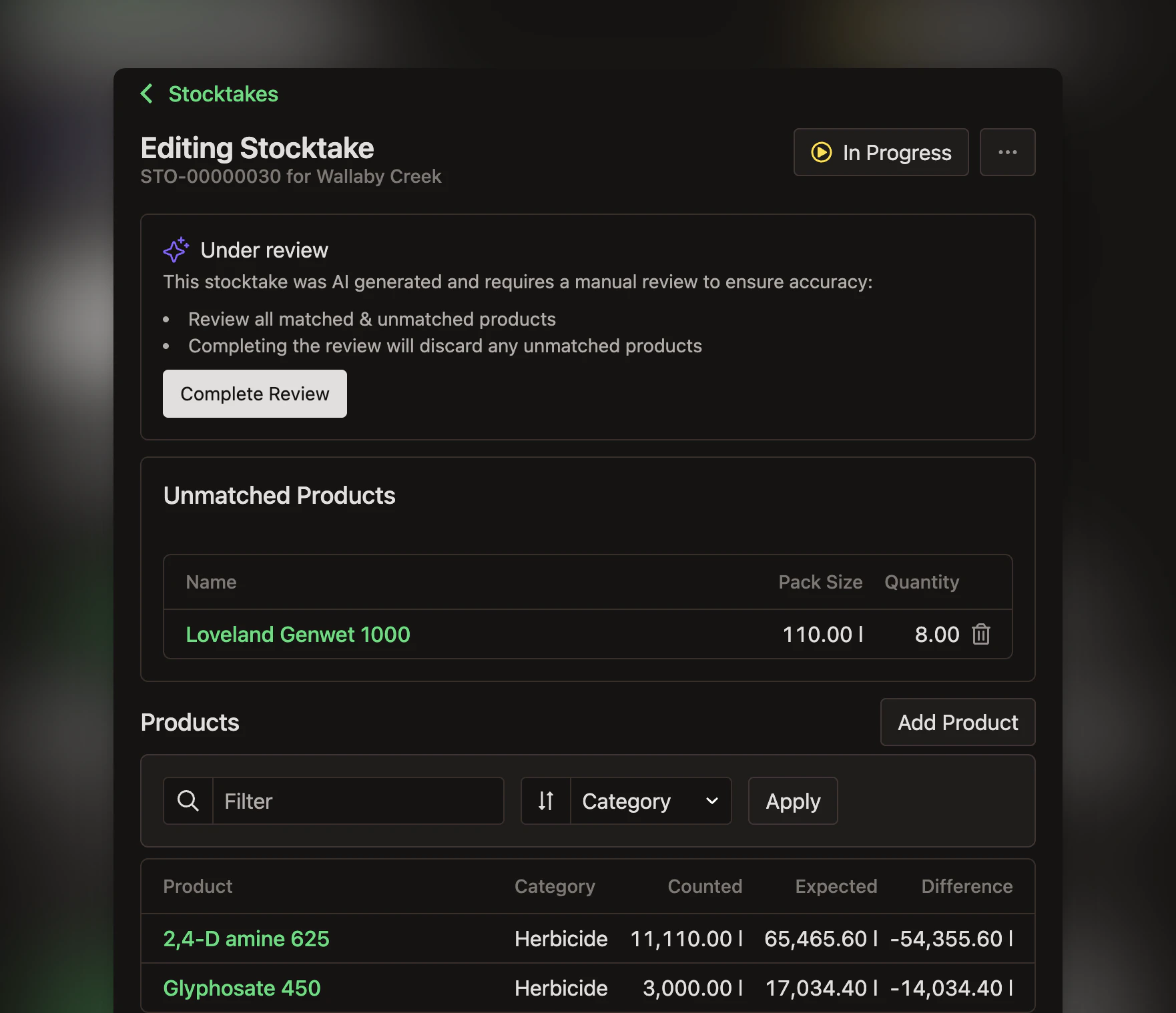
Users can now import stocktakes directly into Shed using a photo, PDF, CSV or XLSX file. Shed automatically extracts products and quantities from the uploaded file, matching them to products already in your account where possible. Any unmatched products are clearly flagged for review before the stocktake is completed, giving users the opportunity to verify everything before inventory levels are updated.
2. Import opening inventory
We’ve also streamlined the process of setting up new storages with Opening Inventory Import. Rather than entering products one by one, users can upload a photo, PDF, CSV or XLSX containing their opening inventory. Shed reads the file, extracts the products, pack sizes and quantities, and adds them to the storage, making initial setup significantly faster.
3. Import receipts
Finally, Receipt Import has become even more flexible with support for spreadsheet files. Users can now attach or import CSV and XLSX files alongside the existing photo and PDF formats. Whether suppliers send delivery information as a spreadsheet, docket or invoice, Shed can extract supplier details, order references and product line items automatically, helping eliminate unnecessary file conversions and manual entry.
Together, these enhancements make it easier to get inventory into Shed quickly and accurately, regardless of the format it’s provided in.
Bolt
We’ve also continued improving Bolt to help maintenance teams stay informed and focus on the work that matters most.
1. Get notified about new defects by email
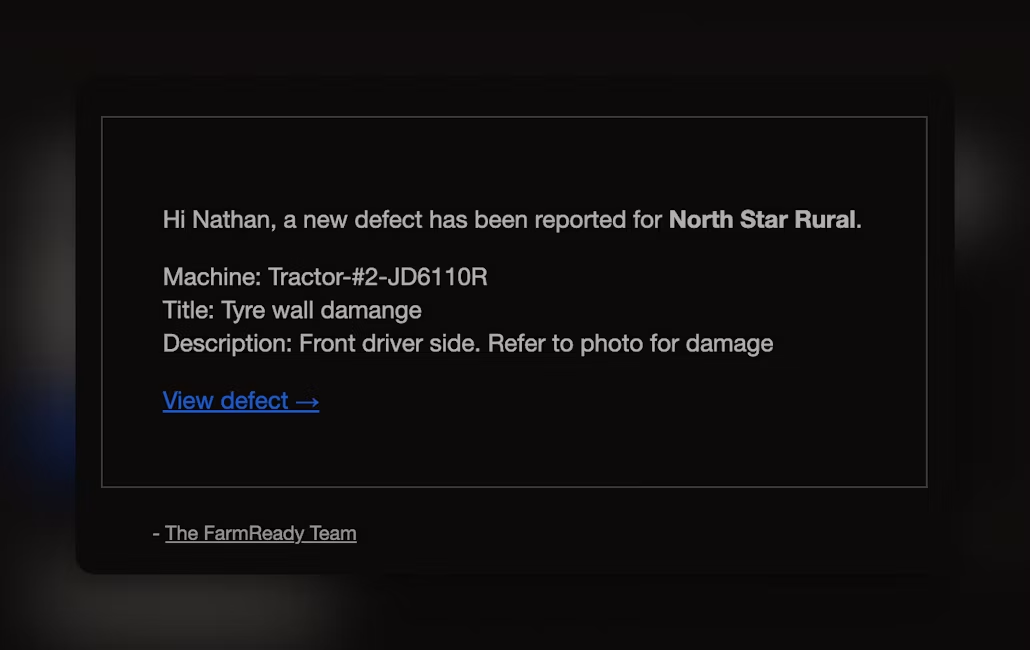
A new Defect Email Notification feature ensures team members can be alerted whenever a new defect is logged. Users who opt in through their communication preferences receive an email containing the machine name, defect details and a direct link to view the issue in Bolt, helping maintenance teams respond more quickly.
2. View latest inspection from machine QR code
We’ve also enhanced the machine QR code experience by displaying the latest inspection directly on the machine page. When a QR code is scanned, users can immediately see who completed the most recent inspection, when it was performed, the results of every checklist item, any notes that were recorded, and the overall safe-to-operate assessment. Clear visual indicators also highlight any items marked as Watch or Fail, allowing operators to identify potential issues before using the machine and helping avoid unnecessary duplicate inspections.
3. Sort jobs by priority
Finally, we’ve introduced the ability to sort jobs by priority. In addition to sorting by due date, users can now organise open jobs by Critical, High, Medium and Low priority, making it easier for maintenance teams to focus on the most urgent work first. Individual sort preferences are saved for each user, allowing everyone to work in the way that suits them best. These latest updates continue our focus on reducing administrative effort while giving farm teams faster access to the information they need to keep their operations running efficiently.